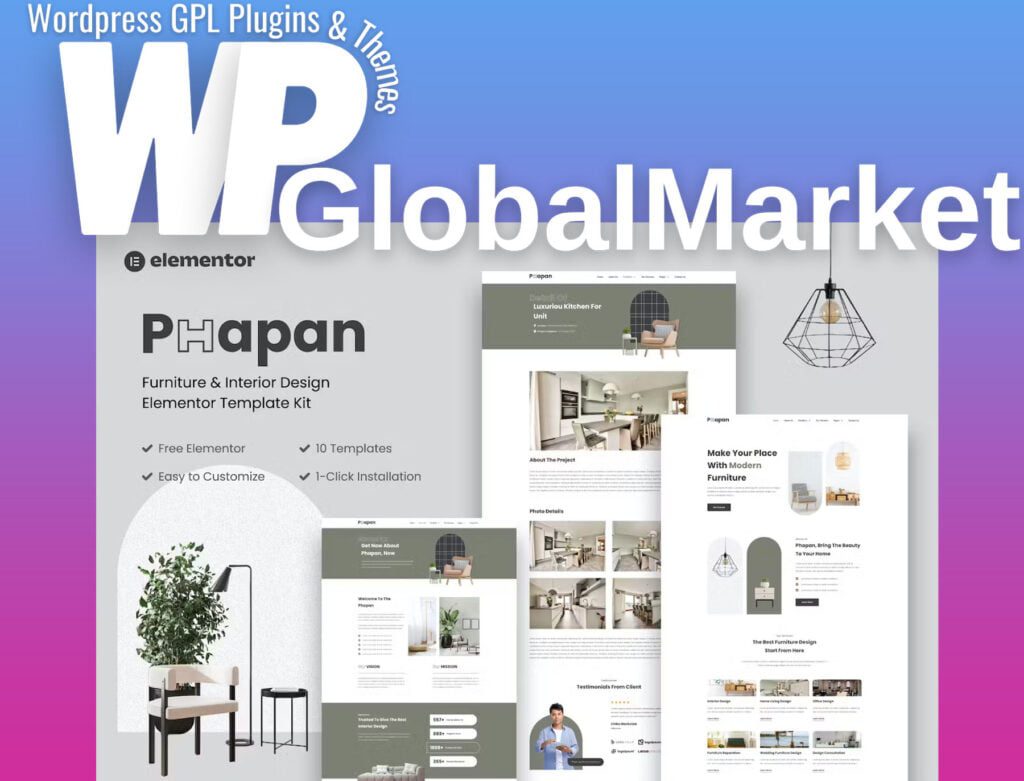
Phapan offers a sophisticated set of Furniture & Interior Design Template Kits designed for corporate businesses aiming to exhibit their work, services, and professionalism. These Template Kits prioritize responsive mobile views, ensuring optimal accessibility. For a comprehensive understanding of this template kit, please explore the demo link provided to experience its design firsthand.
Included Templates:
- Homepage
- About Us
- Our Services
- Price List
- Contact Us
- Page 404
- FAQ
- Blog
- Single Post
- Portfolio
- Portfolio Detail
Required Plugins Installed with Kit:
- Gum Elementor Addon
- Elementor Header & Footer Builder
- MetForm
- ElementsKit Lite
- Elementor
Installing Template Kits using the Envato Elements plugin (no subscription required):
- Utilize the detailed guide provided here to install Template Kits via the Envato Elements plugin to WordPress.
Importing Metforms:
- Import the metform block templates.
- Import the specific page template where the form appears and enable the Navigator via right-click.
- Locate and select the Metform widget, click Edit Form, and choose New, then Edit Form to access the builder.
- Click the ‘Add Template’ gray folder icon and navigate to the 'My Templates' tab.
- Choose your imported metform template and click ‘Insert’ (select No for page settings).
- Customize as needed, click ‘Update & Close,’ and then 'Update' to finalize changes.
Setting up Global Header and Footer in ElementsKit:
- Import the header and footer template.
- Access ElementsKit > Header Footer and click Add New (if prompted with a wizard, proceed by clicking Next without taking any action).
- Title the header, select Entire Site, and toggle Activation to On.
- Click the gray Edit Content button to load the builder.
- Click the gray folder icon, import the header template, select your menu in the nav element, and click Update.
- Repeat the process for the Footer.
This comprehensive kit empowers corporate entities within the furniture and interior design domain to effortlessly showcase their services and portfolio while maintaining a professional online presence. For detailed guidance on using the Envato Elements WordPress Plugin, refer to the provided detailed guide.